
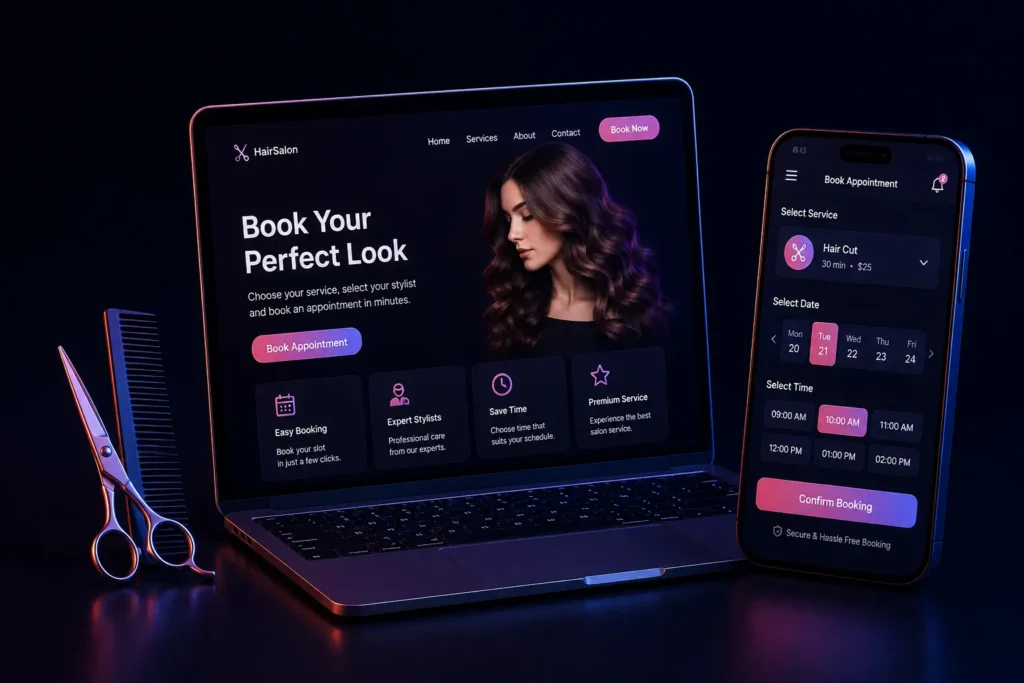
A salon booking app looks, on the surface, like a straightforward calendar-and-form problem. The part that actually determines whether it works in production is the scheduling logic underneath: multiple staff, variable service durations, shared equipment, buffer time and last-minute changes, all resolved without double-booking anyone or leaving a stylist idle for forty minutes in the middle of a Saturday. That is where most off-the-shelf tools and hastily built systems come apart.
This is a guide to what the hard parts actually are, written for salon owners deciding whether to buy a tool or build one, and for developers who have been asked to build one and have not yet discovered where the difficulty lives.
Why salon scheduling is harder than it looks
- Service durations vary by service and by stylist. A fringe trim is fifteen minutes. A full colour with a wash and blow-dry can be three hours, and it is not three continuous hours of one person’s attention. Treating every slot as a uniform block is the first modelling mistake, and every later problem is downstream of it.
- Staff have specialisms, not just availability. Not every stylist offers every service. A booking system that offers a customer a slot with someone who cannot do the treatment has not saved the salon a phone call, it has added one.
- Resources are shared and are not staff. Backwash basins, colour bars, a single nail station, a treatment room. Two stylists can be free at 3pm and still be unable to take two colour clients, because there is one colour bar. A system that checks only staff availability will cheerfully book both.
- Processing time is dead time that is not free time. During a thirty-five minute colour development, the stylist is available and the chair is not. Salons run profitably by booking a quick cut into that gap. A system that cannot express “this service occupies the chair for 90 minutes but the stylist only for 25 and 30 at either end” cannot support how the business actually earns.
- Buffer time is what stops one late client ruining the afternoon. Back-to-back appointments with no cleanup allowance produce a schedule where a single ten-minute overrun cascades into the evening.
- The day is not a straight line. Lunch, a staff meeting, a half-day, an unexpected sick day, and holidays that differ per stylist rather than per salon.
The data model that makes the rest possible
Almost every failing salon booking system we have looked at got the model wrong before it got the interface wrong. The one that holds up looks roughly like this.
- Service: name, price, and a duration broken into segments rather than one number: setup, processing, finishing. Each segment records what it occupies, the stylist, the chair, or both.
- Staff: working hours per weekday, exceptions for specific dates, and the set of services this person is qualified to deliver.
- Resource: chairs, basins, rooms, machines, with a quantity. Quantity matters: “we have three basins” is a constraint, not a yes or no.
- Appointment: the booking, plus the concrete blocks it reserves. Store the blocks, do not recompute them from the service on every read. A price list edited six months later must not silently rewrite what happened last March.
With that shape, availability stops being a special case and becomes one question asked of the calendar: for this service, at this start time, is every segment’s staff and resource free for its own span, including buffers. The interface then has one honest source of truth instead of three approximations.
The bug that only appears once you are busy
Two customers open the last 4pm slot at the same moment. Both browsers show it as free, because it was free when each page loaded. Both press confirm. Almost every booking system built without this in mind will write both rows, and the salon finds out at 4pm.
Checking availability and then inserting the appointment as two separate steps is not enough, however carefully the check is written. There is always a window between them. Three approaches actually close it:
- A database constraint that makes the overlap impossible. PostgreSQL can enforce this directly with an exclusion constraint over a time range and a resource id, so a conflicting insert fails at the database rather than depending on application code being correct. This is the strongest option, because it holds even when a second service, a background job or an admin screen writes a booking by another route.
- A transaction that locks the affected rows before re-checking availability inside it. Portable across MySQL and PostgreSQL, and the usual choice on a stack that is already MySQL.
- A short-lived hold. The slot is reserved for the few minutes the customer spends entering details and paying, then released if they do not finish. This is a user-experience decision as much as a correctness one, and it is what stops a payment succeeding against a slot that has just gone.
Whichever is chosen, the failure has to be handled gracefully in the interface. “That slot has just been taken, here are the three nearest” keeps the booking. A raw error loses it.
No-shows are a product problem, not a customer problem
An empty chair cannot be sold afterwards. The levers that actually reduce no-shows are in the software:
- Reminders timed to be useful: one at booking, one the day before, one a few hours ahead. On WhatsApp for most Indian salons, because it is read; SMS as the fallback for numbers that have no account.
- One-tap confirm, reschedule or cancel in the reminder itself. Someone who cannot make it and cannot easily say so simply does not turn up.
- A cancellation window with a deposit for long or high-value services. Even a small prepayment changes behaviour, and it is worth applying only to the appointments where a no-show genuinely hurts.
- A waitlist that fires automatically when a slot is released. A cancellation twelve hours out is recoverable revenue if somebody is told within a minute.
The parts nobody scopes and everybody needs
- A view the front desk will actually use. Most bookings still get made or moved at the counter and on the phone. If staff cannot drag an appointment, block an hour, or add a walk-in faster than they can write it in the book, the book comes back and the data is worthless within a month.
- Calendar sync to whatever the stylists already carry, so nobody keeps two diaries.
- Payments for deposits and prepaid packages, and the refund path when a salon cancels.
- Multi-branch if there is any chance of a second location: booking, staff and reporting all change shape when branches arrive, and retrofitting it is expensive.
- Reporting that answers real questions: utilisation per stylist, revenue per hour of chair time, which services get cancelled most.
- Handling personal data properly. Names, numbers and service history are personal data under the DPDP Act, and a booking system is often the only place a salon holds any.
What the customer sees, and where the booking is actually lost
Everything above is about the schedule being correct. A correct schedule presented badly still loses the booking, and the customer-facing flow has its own failure modes that have nothing to do with concurrency.
- Ask for the service before the stylist. Most customers know what they want done and have no preference about who does it. A flow that opens with a grid of staff photographs asks the hardest question first and narrows availability before the customer has any reason to accept the constraint.
- Show real times, not a calendar to hunt through. A month view with a handful of bookable days makes the customer do the searching. Offering the next available times directly, with an option to look further ahead, converts better because it answers the question the customer actually has.
- Do not require an account. The phone number is the identity that matters in this business, and it is also how the salon will contact them. Take the booking on a number and a name, verify with a one-time code if a deposit is involved, and let the record become an account quietly.
- Say the total and the cancellation terms before the confirm button, not after. A deposit that appears at the final step is the most common cause of abandonment in flows we have reviewed, and it is entirely self-inflicted.
- Make changing an appointment as easy as making one. If rescheduling requires a phone call during opening hours, a proportion of those customers will simply not arrive, and the salon has converted a reschedule into a no-show through interface design.
Sending the reminders is harder than deciding to send them
Reminders are listed above as the main lever against no-shows, and they are, but the gap between deciding to send them and being able to is wider in India than most build plans assume. This is worth knowing at the estimate stage rather than the week before launch.
Transactional SMS to Indian numbers goes through a registration regime: the sender identity and the message templates themselves must be registered and approved before anything can be delivered, and messages that do not match an approved template are rejected by the operators rather than delivered imperfectly. Approval takes real calendar time, and every later change to the wording is another approval. The practical consequence is that message copy needs to be settled early, and templates need placeholders for the parts that vary rather than being written per message.
WhatsApp has its own version of the same constraint. Business messaging runs through approved templates for anything you initiate, and free-form replies are only possible inside a limited window after the customer has messaged you. A reminder is an initiated message and therefore a template; the customer’s “can I move it to 5?” reply opens a window in which a human can answer normally. Designing the reminder so that a reply is natural is what makes that window open, which is worth more than it sounds.
Two further details are frequently missed. Opting out must be honoured across channels and stored against the customer, not the campaign. And promotional messages are governed differently from transactional ones, so a reminder that also advertises this month’s offer may be reclassified as marketing, with the delivery restrictions that follow. Keep the reminder to the appointment.
Packages, memberships and prepaid balances
Most salons past a certain size sell value in advance - a course of treatments, a membership, a prepaid balance - and this interacts with the schedule in ways that are easy to overlook when the booking system is scoped as a calendar.
A package is a liability rather than a sale: money has been received for services not yet delivered, and it needs to be recognised as each appointment completes rather than when it was paid. That has consequences for reporting, since revenue per hour of chair time is meaningless if a package client appears to generate nothing on the day they attend. Redemption also needs rules the software can enforce - what expires and when, whether a package can be shared between family members, what happens to the remaining balance when a salon cancels, and whether package appointments may be booked into the busiest slots or are steered towards quieter ones.
None of this is difficult once it is written down. All of it is expensive to add later, because it touches the appointment record, the payment record and every report that reads either.
Moving off the paper book without losing a Saturday
The last risk is the changeover, and it is the one that most often decides whether a good system is adopted or abandoned in week two.
Import the customer list before anything else - names, numbers, and service history if it exists - because a system that does not recognise regular clients feels like a downgrade to the front desk from the first hour. Enter future appointments that are already in the book rather than starting from an empty calendar on launch day. Choose a genuinely quiet period to switch, never a festival week or the run-up to a wedding season.
Run both for a short, fixed overlap, with a stated end date. An indefinite overlap becomes permanent, and the paper book wins by default because it never rejects anything. During that window, keep a note of every occasion a member of staff has to work around the software, and treat that list as the first round of fixes rather than as complaints. It is the same exercise recommended above for deciding whether to build at all, and it is just as useful the second time.
Build or buy
Both answers are legitimate and the deciding factor is not the size of the business, it is the shape of the schedule.
Buy an off-the-shelf tool when one or two people work from one location, services are broadly uniform in length, and nothing is shared beyond the obvious. The subscription will be cheaper than any custom build, and the scheduling model the tool assumes is close enough to reality to be worth adopting.
Build when the schedule has structure the tool cannot express: processing time, shared equipment, staff qualified for different services, several branches, packages and memberships, or an existing system that has to stay in step. The signal is unmistakable and easy to check before spending anything. If the front desk keeps a separate note to make the software’s answer correct, the software has the wrong model, and no amount of configuration fixes a wrong model.
A middle path is often the right one for a first version: take an existing tool as far as it goes, and record exactly where staff work around it. That list is the specification for the build, and it is a far better one than anything written from scratch in a meeting.
Where to start
Write down one busy Saturday, exactly as it ran. Every appointment, every overrun, every walk-in, every time two people needed the same basin. Then check whether the tool you are considering, or the design you are about to build, can represent that day without a note in the margin. That single exercise separates a booking system that will be used from one that will be worked around.
If you would rather try it than read about it, there is a working version of this scheduling engine on the site: three stylists, one colour bar, and every refusal explained. Attempt a double booking and watch it be turned down.
We build custom booking and scheduling systems as part of our web application development work, and this article describes the modelling and concurrency problems that turn up in scheduling generally, not a salon product we sell. Get in touch if your current booking system is creating conflicts or needs a workaround to be trusted.