
What are the biggest UI/UX trends right now?
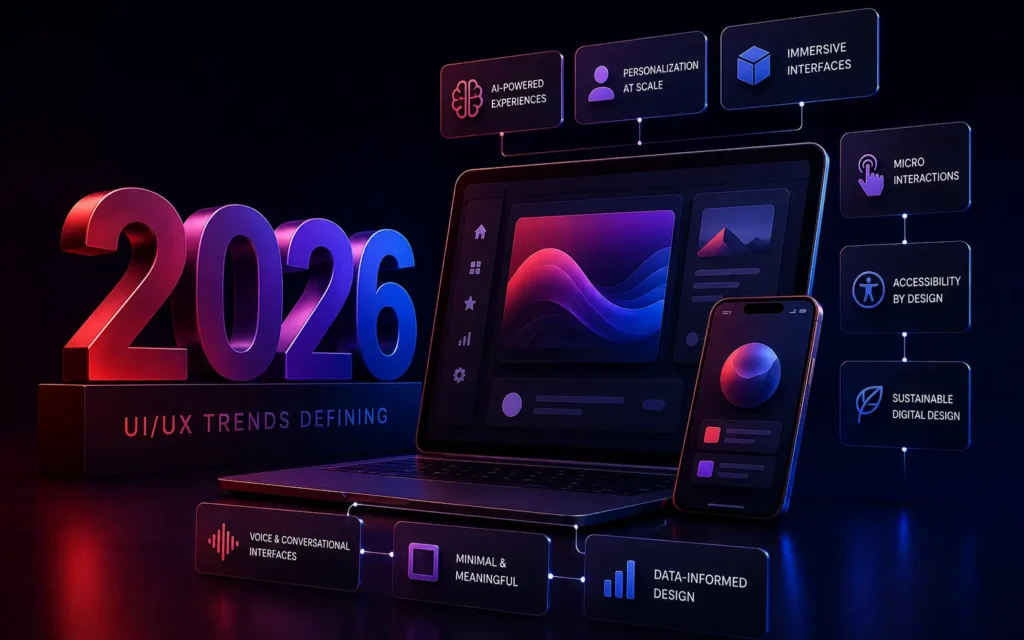
In 2026, UI/UX trends are defined by the invisible integration of AI, leading to hyper-personalized interfaces that adapt in real-time to user behavior. Aesthetically, we are seeing a shift towards Spatial UI (glassmorphism and depth), voice-first navigation, and highly complex micro-interactions that make digital products feel alive.
For Product Managers and Creative Directors, a stagnant user interface is a death sentence for customer retention.
Users in 2026 have zero tolerance for clunky, generic, or confusing software. As we outlined in our analysis of Why Custom Web Development Outperforms Templates, the modern consumer expects an enterprise-ready digital experience, regardless of whether they are using a B2B SaaS platform or a consumer mobile app.
If your platform looks like it was designed in 2020, users will fundamentally mistrust your underlying technology. To stay competitive, your product design must evolve. Here are the core UI/UX trends dominating digital experience design in 2026.
1. Data-driven Hyper-Personalization (The AI Interface)
The era of the “one-size-fits-all” dashboard is over.
Driven by the massive advancements in Generative AI, the most advanced user interfaces now assemble themselves in real-time based on the specific user’s historical behavior.
If a Financial Director logs into an enterprise software suite, the UI automatically highlights complex reporting tools and data visualizations. If a Junior Sales Rep logs into the exact same software, the UI adapts, hiding the complex reports and instead front-loading lead-generation forms and task lists. The UX is no longer static; it is fluid, anticipatory, and entirely personalized.
2. Spatial UI and Advanced Glassmorphism
With the mainstream adoption of mixed-reality headsets, the concept of “depth” has flooded back into flat screen design.
We are moving away from purely flat, minimalist design (Flat 2.0) and embracing Spatial UI. This involves heavy use of advanced glassmorphism-translucent, frosted-glass overlays that allow background elements to blur softly behind the active window. This creates a distinct visual hierarchy by utilizing the Z-axis (depth), making interfaces feel layered, premium, and highly tactile without resorting to outdated skeuomorphism.
3. Micro-Interactions as Feedback Loops
A micro-interaction is a tiny, highly functional animation that occurs when a user performs a specific task.
For example, when a user clicks “Submit” on a form, the button doesn’t just instantly change to say “Done.” Instead, the button fluidly morphs into a loading spinner, then bursts into a green checkmark with a subtle haptic vibration on their mobile device.
These are not just for aesthetics; they are critical UX feedback loops. They reassure the user that the system is working, drastically reducing friction and anxiety during complex digital transactions, which is vital for high-conversion E-Commerce Platforms.
4. Voice User Interface (VUI) Integration
As highlighted in our Voice Search Optimization guide, typing is becoming a secondary input method.
Modern UI/UX design must smoothly integrate Voice User Interfaces (VUI). This means designing visual feedback systems that indicate when the app is “listening,” and creating conversational flows that don’t rely on complex visual menus. Users expect to open a complex CRM and simply say, “Show me all closed deals from Q3,” rather than clicking through five nested dropdown menus.
5. Ethical and Accessible Design By Default
Accessibility is no longer an afterthought bolted onto a project at the end. In 2026, Accessibility (ADA Compliance) is the foundational baseline of all UX design.
This means designing with high-contrast color palettes (see The Psychology of Color in UI Design), ensuring all interactive elements are easily navigable via keyboard or screen reader, and implementing “Dark Mode” as a standard toggle to reduce eye strain. Ethical UX also means the death of “Dark Patterns”-manipulative design tricks used to trap users into subscriptions. Transparency is now a core design requirement.
Conclusion
The UI/UX trends of 2026 represent a shift from static, reactive design to fluid, proactive experiences. By integrating AI-driven personalization, utilizing spatial depth for visual hierarchy, and obsessing over micro-interactions and accessibility, brands can create digital products that don’t just function well, but genuinely delight the user, forging deep, long-term brand loyalty.
Is your digital product suffering from an outdated, high-friction user experience?
At VDPL, our elite UI/UX design team architects stunning, highly intuitive custom software interfaces that drive user adoption and retention. Contact us today to schedule a comprehensive UX audit.
Frequently Asked Questions (People Also Ask)
What is the difference between UI and UX design?
UI (User Interface) refers to the specific visual elements of a digital product-the colors, typography, buttons, and layout. UX (User Experience) refers to the overall feel of the experience-how logical the navigation is, how easily a user can accomplish a task, and the psychological friction (or lack thereof) involved in using the product.
Why are micro-interactions important in UX?
Micro-interactions provide immediate, visual feedback to the user. They confirm that an action (like swiping, clicking, or typing) has been acknowledged by the system. This drastically reduces user anxiety, prevents double-clicking errors, and makes the application feel responsive, polished, and “alive.”
What is glassmorphism in UI design?
Glassmorphism is a UI design trend characterized by translucent, frosted-glass-like backgrounds with subtle light borders and vibrant colors blurred beneath them. It creates a sense of vertical depth and hierarchy, allowing designers to layer information beautifully without the interface feeling cluttered or heavy.