
Most salon booking projects fail in the same place, and it is not the code. It is that the software was designed around how bookings are supposed to work, and the salon runs on how they actually work: the client who always books with one stylist, the colour that needs the basin free twice, the walk-in at 4pm on a Saturday who spends more than the two appointments either side of her.
This is the order to build one in. It is written for a salon owner scoping the work and for whoever ends up building it, and it assumes nothing has been chosen yet.
Step 1: write down one real Saturday before you look at any software
Take the busiest recent day and record it exactly as it happened. Every appointment with its real start and finish, every overrun, every walk-in, every time two people needed the same basin, every gap that stayed empty, every no-show.
That single sheet of paper decides everything that follows. It tells you whether your schedule has processing time in it, whether stylists are interchangeable, whether equipment is ever the constraint, and how often the day departs from the plan. Every tool you look at afterwards gets tested against it: can this represent that day without a note in the margin?
If the answer is no, you have found the requirement that will decide build against buy. The scheduling model underneath is where this gets genuinely difficult, and it is worth understanding before committing: we wrote about the data model, the double-booking race and buffer time separately in what makes salon scheduling harder than a calendar.
Step 2: decide the booking flow before the technology
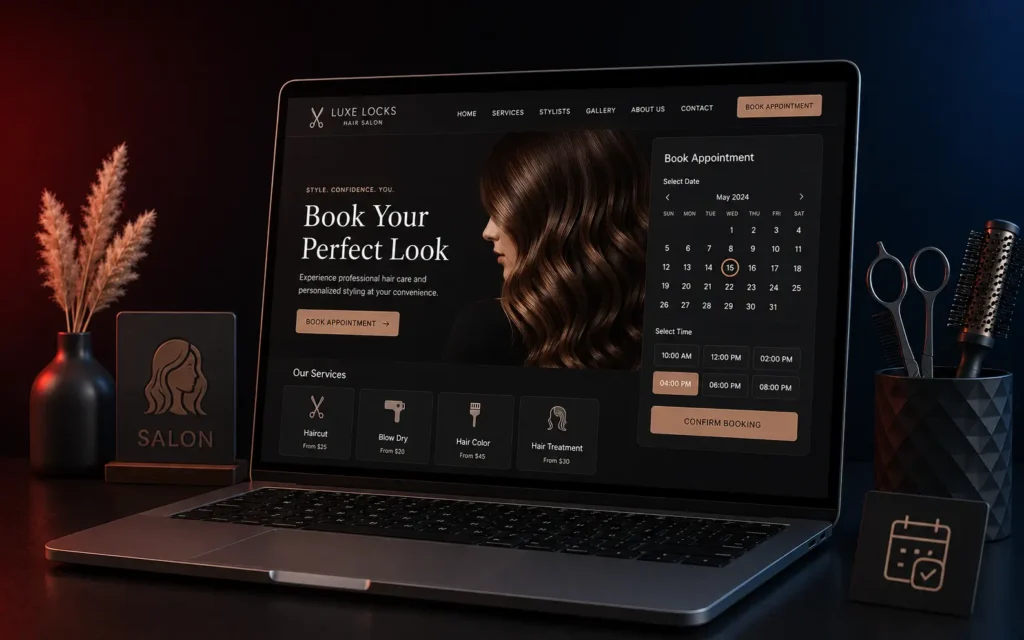
A salon booking journey is five screens, and the order you put them in changes the completion rate more than any framework choice.
- Service first, or stylist first? Service first suits a new client who knows what they want and does not know anyone. Stylist first suits a returning client, and returning clients are most of the revenue. The answer is usually both, from the same landing screen, with the shorter path made obvious for a returning client.
- Time selection. Show real availability, not a form that submits a request. “We will confirm within 24 hours” is the single largest drop-off point in salon booking, because the client is standing in a shop or on a bus deciding now.
- Details. Name and mobile. Email optional. Every extra field costs bookings, and a phone number is enough to run the appointment.
- Confirmation. Instant, on screen, with the option to add it to a phone calendar.
- Reminder and reschedule. Not part of the booking, but part of the flow, and covered below.
One thing to fix early: do not require an account. Offer it after the booking is made, when there is something to save.
Step 3: pick the route honestly, there are only three
A booking SaaS product. Fastest and cheapest, and it is genuinely the right answer for a one or two chair salon with uniform service lengths. The cost is that your operations have to fit the tool’s assumptions, and that the booking page usually lives on somebody else’s domain, which does nothing for your own site’s search visibility.
A plugin on your existing site. The middle route: the booking lives on your domain, the content and the booking share one place, and the monthly cost is small. The limit arrives at resources and processing time. Most booking plugins model one staff member against one time block, and a colour service that occupies a chair for 90 minutes but a stylist for 25 is not something they can express.
A custom build. Worth it when the schedule has structure the tools cannot hold: shared equipment, processing gaps, staff qualified for different services, more than one branch, packages and memberships. The signal is not the size of the salon. It is whether the front desk keeps a separate note to make the software’s answer correct.
A useful middle path for a first version: run a cheap tool for two months and write down every single workaround. That list is a far better specification than anything written from scratch in a meeting.
Step 4: the integrations, in the order they earn their keep
- Reminders on WhatsApp. In India this is the one integration that pays for itself. An SMS is often unread; a WhatsApp message with a one-tap confirm or reschedule is answered. Fall back to SMS for numbers with no account.
- Calendar sync for stylists. Two-way, to whatever they already carry. If they have to check a second diary, within a month they will be keeping the paper book again and your data will be worthless.
- Payments, but only for the appointments that need them. A deposit on long or high-value services changes no-show behaviour. Requiring prepayment for a fifteen-minute trim costs you the booking.
- The point of sale. Usually last, often skipped, and the one that quietly matters: if the till and the booking system disagree about what happened, neither report can be trusted.
Step 5: build the front-desk view, not just the client one
The mistake in almost every salon booking build is that all the effort goes into the client-facing page while the staff screen is an afterthought. Most bookings are still made or moved at the counter and on the phone. If a receptionist cannot drag an appointment, block an hour, or add a walk-in faster than they can write it in the book, the book comes back.
The staff view needs, at minimum: a day column per stylist, drag to move, a fast walk-in path with no login, blocking time out for lunch or sickness, and a client’s history visible in one tap while they are on the phone.
Step 6: the launch, which is a week and not an afternoon
- Move the existing bookings across. There will be four to six weeks of them already made. They have to be in the new system on day one or the first Saturday is chaos.
- Run both for a week. Paper book and software together, and compare them each evening. Every difference is a bug or a habit, and both need finding before the paper stops.
- Train on the awkward cases, not the normal one. Everyone can book a cut. Practise the cancellation, the client who wants a different stylist, the double booking that has to be untangled, the refund.
- Put the booking link everywhere in one go: Google Business Profile, Instagram bio, WhatsApp Business profile, the website header, the shopfront. A booking system nobody can find is not a booking system.
- Keep the phone number visible. A share of clients will always call, and hiding the number to force online booking annoys exactly the regulars who spend the most.
Step 7: what to look at after four weeks
Four numbers tell you whether it worked, and none of them is the number of online bookings:
- The share of appointments booked without a phone call. This is the actual saving, and it is measured in front-desk hours.
- No-show rate, before and after. If reminders were set up properly this is where the return is.
- Utilisation per stylist. Booked hours against available hours. A booking system that fills the popular stylist’s day and leaves the new one at half capacity has solved the wrong problem.
- Where people stop. If a large share reach the time-selection screen and leave, the availability logic is showing them something they do not want, and that is fixable.
The short version
Write down one real Saturday. Design the five screens. Choose the route that can represent that Saturday, which for most multi-stylist salons is not the cheapest tool. Get reminders on WhatsApp working before anything clever. Build the front-desk view properly. Run both systems for a week. Then measure the phone calls, not the bookings.
Step two above is easier to judge by using one. We keep a live booking demo built exactly to the model in this article, including the processing gap and the shared colour bar, so you can see what “real availability” means before deciding how to build yours.
We build custom booking and scheduling systems as part of our web application development work. If you are weighing a tool against a build, tell us what your Saturday looks like and we will tell you honestly which one your schedule needs.