
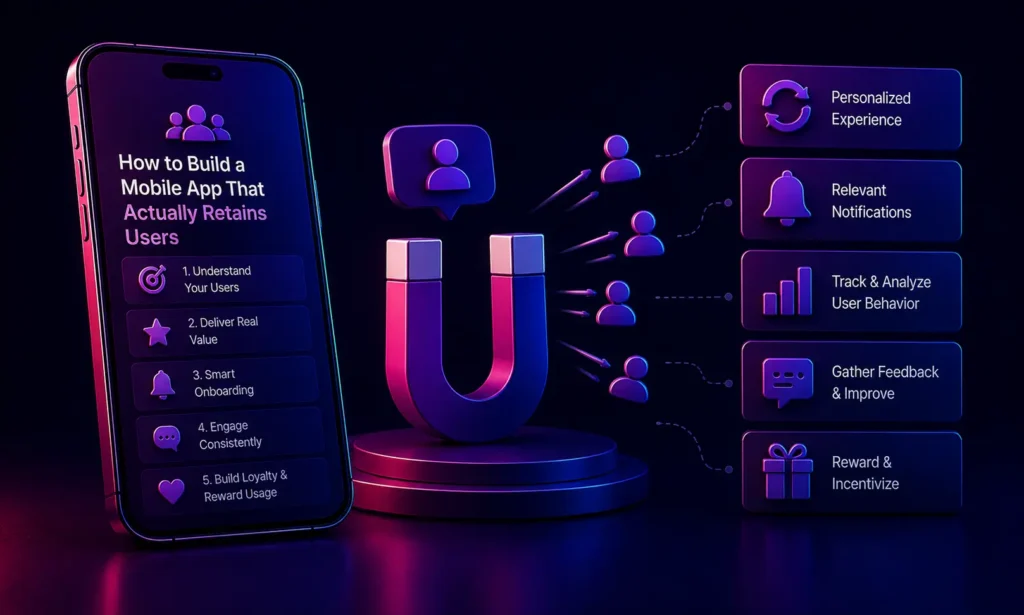
How to Build a Mobile App That Actually Retains Users in 2026
How do you retain users on a mobile app?
To retain users on a mobile app, you must engineer a frictionless onboarding experience, implement AI-driven personalization to serve relevant content, utilize predictive (rather than spammy) push notifications, and ensure the app loads instantly without crashes. Retention is driven by demonstrating immediate, continuous value every time the user opens the app.
For Marketing Directors, acquiring a new mobile app user is an expensive victory. Depending on the industry, the Cost Per Install (CPI) can range from $2 to $15. However, the harsh reality of the app platform is that acquisition means nothing without retention.
Industry data consistently shows that nearly 70% of users will uninstall an app within the first 30 days of downloading it if it fails to meet their expectations. Users in 2026 suffer from severe app fatigue; their home screens are highly curated, and if your app does not immediately prove its worth, it will be deleted.
To maximize your marketing ROI, you must stop focusing solely on top-of-funnel acquisition and start engineering mobile app retention strategies directly into the core architecture of your product. Here is how to build an app that users actually want to keep.
1. Frictionless, Value-First Onboarding
The first 60 seconds a user spends in your app dictates whether they will ever open it again. The biggest mistake developers make is demanding too much effort upfront. If a user opens your app and is immediately hit with a mandatory 15-field registration form and requests to track their location and contacts, they will abandon the process immediately.
The Solution: Gradual Engagement.
Allow the user to experience the core value of your app before asking them to create an account. For example, if you have an e-commerce app, let them browse products, add items to their cart, and only ask for an email address when they are ready to check out.
When you must ask for permissions (like Push Notifications), provide context. Instead of a generic iOS pop-up, use a custom screen that explains: “Turn on notifications so we can alert you the minute your food delivery arrives.” This drastically increases opt-in rates and helps improve app engagement.
2. Hyper-Personalization via AI
Generic experiences do not retain users. If a user opens a fitness app and is shown marathon training plans when they explicitly stated their goal was weight loss, they will feel the app is useless to them.
In 2026, leveraging AI integration to deliver hyper-personalized experiences is a baseline requirement. Your app architecture should track user behavior-what they click, how long they linger on a screen, what time of day they are active-and feed that data into a smart technology model. The app should then dynamically alter its UI and content feed to match the user’s specific preferences, making the app feel bespoke to them.
3. Predictive, High-Value Push Notifications
Push notifications are a double-edged sword. When used correctly, they are the most powerful tool for driving Daily Active Users (DAU). When abused, they are the number one reason users delete apps.
The Rule: Never send a push notification that solely benefits your business (e.g., “Check out our new products!”). Only send notifications that benefit the user.
Implement predictive messaging. If your data shows a user typically orders coffee through your app at 8:00 AM on weekdays, sending a notification at 7:45 AM that says, “Good morning! Your usual Americano is just one tap away,” provides immense convenience. It removes friction from their day and guarantees they open the app.
4. Flawless Performance and Stability
No amount of brilliant marketing or personalized content will save an app that crashes. Studies show that 50% of users will abandon an app if it takes more than three seconds to load, and 80% will delete an app entirely if it crashes more than twice.
If you chose to build your app using a cross-platform framework (as we discussed in our guide to Native vs Cross-Platform Apps), you must ensure your engineering team has ruthlessly optimized the rendering bridge to prevent dropped frames.
Invest heavily in Quality Assurance (QA) automation within your DevOps pipeline. Use crash reporting tools (like Firebase Crashlytics) to identify and patch memory leaks before they affect a large segment of your user base.
5. Gamification and Community Building
Humans are psychologically wired for progression and community. Integrating subtle gamification elements-such as streaks, badges, or progress bars-encourages users to return daily to avoid losing their status. Duolingo is the masterclass in this strategy.
Integrating community features (forums, leaderboards, user-generated content) transforms your app from a basic utility into a digital destination. When users feel they belong to a community within your app, uninstalling it feels like leaving a social group, drastically reducing churn.
Conclusion
Reducing app uninstalls requires a holistic approach. It is not something you can “tack on” after the app is built. Mobile app retention strategies must be architected into the UX design, the backend databases, and the notification infrastructure from day one. By prioritizing value, speed, and personalization, you can build a platform that earns a permanent place on your user’s home screen.
Is your mobile app suffering from high churn rates?
Partner with VDPL to completely audit your app’s user experience and underlying architecture. We specialize in engineering high-retention digital products.
Frequently Asked Questions (People Also Ask)
What is a good retention rate for a mobile app?
A “good” retention rate varies heavily by industry, but generally, a 30-day retention rate of 15% to 20% is considered healthy for an average app. Top-performing apps (like major social networks or daily utility apps) can see 30-day retention rates closer to 40%.
Why do users uninstall apps?
The most common reasons for app uninstalls include excessive, annoying push notifications, complex registration processes, poor performance (slow load times or frequent crashing), and the app simply taking up too much storage space on the device without providing continuous value.
How can I improve my app’s user engagement?
To improve engagement, optimize your onboarding flow to get users to the “Aha!” moment faster, personalize the content feed based on their past behavior, and utilize contextual push notifications that provide timely, relevant value rather than generic marketing spam.