
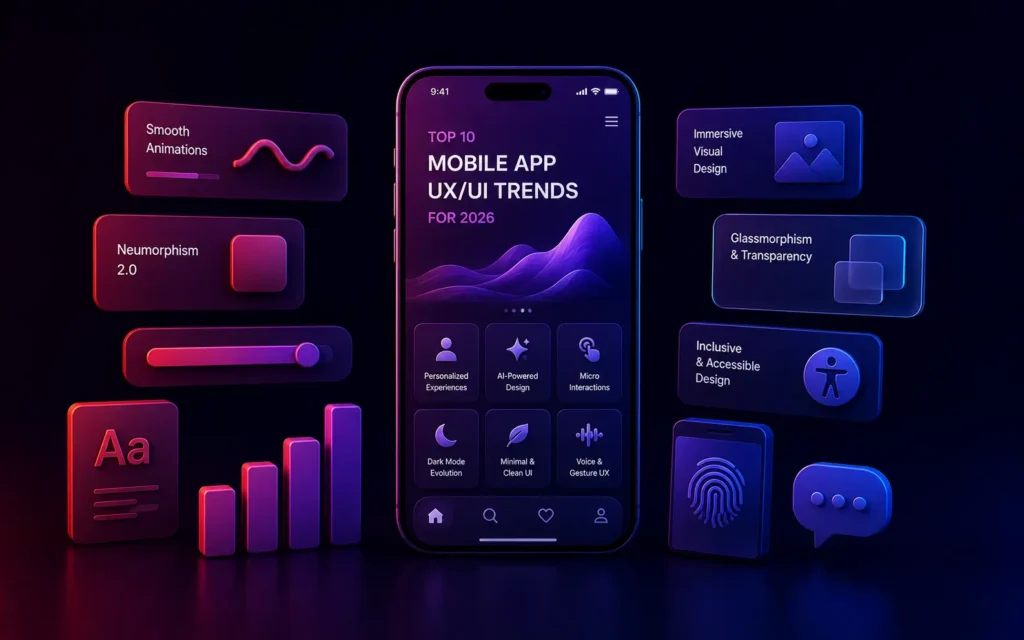
What are the latest UX/UI trends in mobile apps?
The latest mobile app UX trends prioritize frictionless, personalized experiences. Key trends include hyper-personalized AI interfaces, Voice User Interfaces (VUI), smooth biometric micro-interactions, dark mode optimization, immersive 3D elements, and bottom-heavy navigation designed for large-screen smartphones.
For Lead Designers and UX Strategists, mobile app design is no longer just about aesthetics; it is the fundamental driver of user retention. As we have seen in our analysis of Mobile App Retention Strategies, a clunky interface directly correlates to high uninstall rates.
In 2026, user expectations are at an all-time high. Consumers interact with brilliant, highly optimized interfaces daily from tech giants, setting an unforgiving baseline for every other app on the market. If your UI design for mobile feels like it was built in 2020, users will immediately perceive your entire business as outdated.
To keep your digital products engaging and competitive, here are the top 10 mobile app UX trends dominating 2026.
1. AI-Driven Hyper-Personalization
The era of the “one-size-fits-all” dashboard is over. Driven by deep AI Integration, modern UX dynamically adapts to individual user behavior. If a user primarily uses a banking app to check their checking account balance rather than transfer funds, the UI automatically reorganizes itself to display the balance prominently upon login, hiding less frequently used features in secondary menus.
2. Voice User Interfaces (VUI)
Typing on a glass screen is inherently high-friction. As natural language processing (NLP) has perfected voice recognition, Voice User Interfaces have become a standard feature rather than an accessibility afterthought. Users expect to hold a microphone icon and say, “Order my usual coffee,” allowing the app to process complex, multi-step actions instantly.
3. Bottom-Heavy Navigation (The Thumb Zone)
Smartphones in 2026 are massive. Expecting users to stretch their thumbs to the top-left corner of the screen to hit a “Back” button or a hamburger menu is a massive UX failure. All critical interactive elements, primary navigation bars, and Call-to-Action (CTA) buttons must be anchored to the bottom third of the screen, safely within the natural “Thumb Zone.”
4. Biometric Micro-Interactions
While biometric authentication (FaceID) is standard for login security (a core aspect of Mobile App Security), designers are now using it for smooth micro-interactions. Instead of clicking “Confirm” and typing a pin to approve a digital payment or accept a contract, the UI utilizes a simple, fluid biometric scan animation to execute the action instantly.
5. Glassmorphism and Depth
Flat design is fading, making way for Glassmorphism. This UI style utilizes semi-transparent, blurred backgrounds to create the illusion of glass panels floating over the app’s content. It establishes a clear visual hierarchy by adding depth and allowing vibrant background colors to bleed through subtly, resulting in an incredibly premium, modern aesthetic.
6. Meaningful Micro-Animations
Static screens are boring. Modern UX relies heavily on micro-animations to provide satisfying, immediate feedback to the user. A button that slightly depresses when tapped, a ‘Like’ heart that bursts with digital confetti, or a loading skeleton that shimmers dynamically-these subtle animations make the app feel alive, responsive, and incredibly polished.
7. True Dark Mode Optimization
Dark Mode is no longer an optional toggle; it is the default preference for the majority of users. However, true dark mode optimization is not simply inverting white backgrounds to black. Lead Designers must carefully orchestrate deep grays to reduce eye strain, adjust drop shadows to remain visible against dark backgrounds, and desaturate brand colors to prevent them from vibrating uncomfortably on the screen.
8. Immersive 3D Elements
With the processing power provided by modern smartphones and the impact of 5G, rendering 3D graphics is smooth. We are seeing a massive shift in E-Commerce apps utilizing interactive 3D models of products that users can spin and zoom, replacing traditional flat 2D image carousels.
9. Passwordless Onboarding
Frictionless onboarding is paramount. The UX trend in 2026 is entirely passwordless authentication. Users log in via social OAuth (Google, Apple), Magic Links sent to their email, or WebAuthn biometrics. By eliminating the friction of creating and remembering a complex password, drop-off rates during the crucial registration phase plummet.
10. Augmented Reality (AR) Integration
AR is moving beyond gaming and into utility. From visualizing furniture in a living room to projecting walking directions onto a live camera feed of a city street, integrating AR natively into the UX design provides immense, tangible value that physical interfaces simply cannot match.
Conclusion
The core philosophy underlying all mobile app UX trends in 2026 is the reduction of cognitive load. The goal is to create an interface so intuitive, personalized, and frictionless that the user doesn’t even realize they are interacting with software.
Is your mobile app interface feeling dated?
At VDPL, our UI/UX design team specializes in crafting beautiful, high-converting mobile experiences. Contact us today for a comprehensive UX audit of your digital products.
Frequently Asked Questions (People Also Ask)
What is the difference between UI and UX design?
UX (User Experience) design focuses on the logic, flow, and overall feel of the app-how easy it is for a user to accomplish a task. UI (User Interface) design focuses on the specific visual elements-the colors, typography, button shapes, and animations that make up the screens.
Why is mobile UX important?
Mobile UX is critical because it directly impacts user retention and revenue. If an app is difficult to navigate, slow, or visually confusing, users will delete it almost immediately. Exceptional UX builds trust, increases engagement, and drives conversions.
What is the ‘Thumb Zone’ in mobile design?
The ‘Thumb Zone’ is the area of a mobile screen that a user can easily reach with their thumb while holding the device with one hand. In modern design, critical navigation and primary action buttons are placed in the lower half of the screen to accommodate the Thumb Zone on large smartphones.