
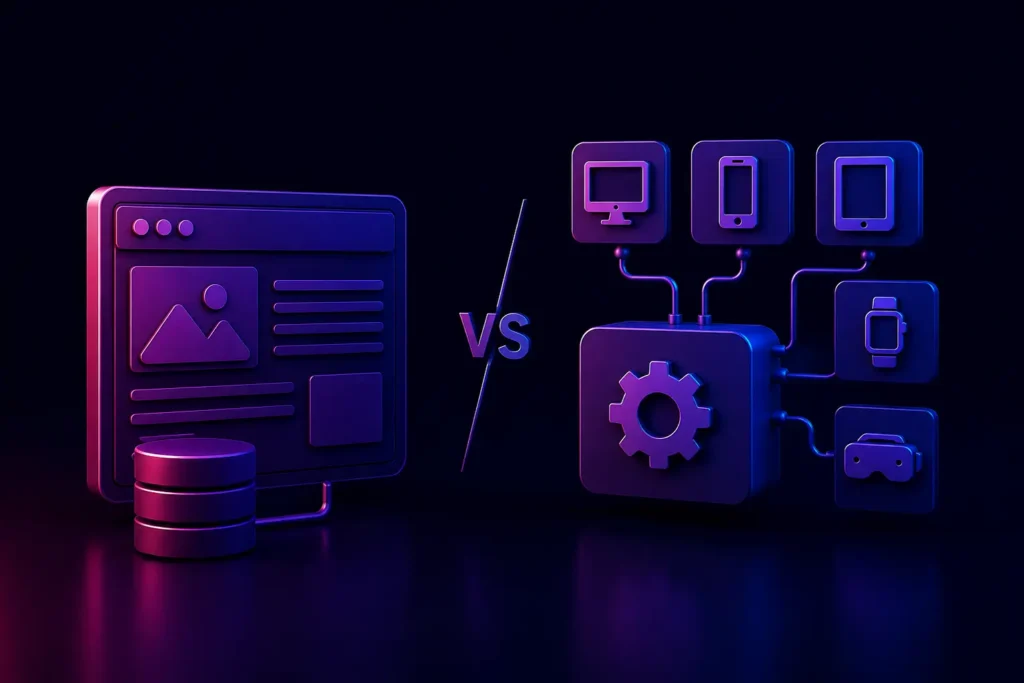
What is the difference between a Headless CMS and a Traditional CMS?
A traditional CMS tightly couples the backend (where content is created) with the frontend (how it is displayed on a webpage). A Headless CMS modernizes these layers, storing content purely as data in the backend and using APIs to deliver it to any frontend interface, including websites, mobile apps, and smart devices.
For over a decade, Content Management Systems (CMS) like WordPress and Drupal dominated the internet. They democratized web publishing, allowing anyone to manage digital content without writing code. However, as the digital platform has evolved far beyond the desktop browser into mobile apps, smartwatches, and digital kiosks, the legacy systemic structure of these traditional platforms has begun to show cracks.
For IT Directors and enterprise architects in 2026, selecting the right content infrastructure is a critical decision that dictates a company’s agility, scalability, and multi-platform marketing capabilities. The industry debate is largely settled into two camps: the familiar reliability of the Traditional CMS versus the API-driven flexibility of the Headless CMS.
If you are planning a major digital transformation, understanding the architectural differences between a headless CMS vs traditional CMS is essential. Let’s break down both models to determine which is the right fit for your business goals.
The Legacy system: What is a Traditional CMS?
A traditional CMS (often called a legacy systemic or coupled CMS) is an all-in-one solution. It handles the database, the admin interface where marketers write content, and the frontend HTML/CSS that displays the content to the end-user. WordPress is the most famous example of this architecture.
Everything is tightly bound together. The content you create is inextricably linked to the specific theme and layout of the website.
Pros of a Traditional CMS
- User-Friendly for Non-Technical Teams: Marketing teams love traditional CMS platforms because they typically offer “What You See Is What You Get” (WYSIWYG) editors. You can preview exactly how a blog post will look on the website before hitting publish.
- Lower Initial Cost and Setup: Because the frontend and backend are bundled, getting a site off the ground is generally faster and cheaper, especially if relying on generic templates.
- Massive Plugin Platforms: Platforms like WordPress have tens of thousands of plugins available to add functionality without custom coding.
Cons of a Traditional CMS
- Limited to Web Only: A traditional CMS is designed to output web pages. If you want to push that same content to a Mobile App or an IoT device, the legacy systemic architecture makes it extremely difficult.
- Performance Bottlenecks: Because they generate HTML on the fly and rely on bloated plugin architectures, they often struggle with slow load times, impacting web performance and conversion rates.
- Security Vulnerabilities: The tight coupling means that a vulnerability in a frontend theme or plugin can provide hackers direct access to the backend database.
The Modernized Future: What is a Headless CMS?
A Headless CMS is a backend-only content management system. It acts as a central repository for your content, but it has no “head”-meaning it does not dictate how or where that content is displayed.
Instead of generating web pages, a headless architecture delivers your content purely as data (usually in JSON format) via an Application Programming Interface (API). Developers can then use modern frontend frameworks (like React, Vue, or Next.js) to fetch that data and display it anywhere.
Pros of a Headless CMS
- True Multi-platform Content Delivery: You create a piece of content once in the backend, and the API can push it simultaneously to your website, your iOS app, a smartwatch interface, and a digital billboard in Times Square.
- Ultimate Frontend Flexibility: Developers are not restricted by CMS-specific themes (like PHP in WordPress). They can use the absolute latest, fastest web technologies to build the frontend, leading to blazing-fast Progressive Web Apps (PWAs) and unparalleled Core Web Vitals scores.
- Enhanced Security: By completely separating the backend database from the public-facing frontend, you eliminate massive attack vectors. Even if the frontend is targeted, the backend remains isolated and secure.
Cons of a Headless CMS
- Requires Strong Technical Resources: You cannot simply buy a $50 theme and launch a headless site. It requires dedicated Custom Web Development to build the frontend architecture from scratch.
- Loss of WYSIWYG Previews: Marketers often face a learning curve, as they can no longer easily preview exactly how content will look in a live layout before publishing, since the CMS doesn’t control the layout.
Headless CMS vs Traditional CMS: Making the Choice
The decision between headless and traditional architecture rarely comes down to which is “better”-it comes down to the specific digital maturity and scale of your business.
Choose a Traditional CMS if:
- You are running a standalone blog, a local business brochure site, or a simple B2B lead-generation page.
- You do not have a dedicated internal engineering team or the budget for ongoing custom development.
- Your content will only ever live on a standard website, and you have no plans to expand into mobile apps or multi-platform experiences.
Choose a Headless CMS if:
- You are an enterprise or scaling startup that needs to deliver content across multiple platforms (Web, iOS, Android, Smart Devices) simultaneously.
- You require ultimate performance, load speeds, and distinct visual differentiation that outperforms standard templates.
- You want to future-proof your tech stack, allowing you to completely redesign your frontend in 3 years without having to migrate or touch your backend database.
Conclusion
In 2026, the market demands agility. While a traditional CMS remains a viable tool for simple, legacy systemic websites, a Headless CMS provides the robust, API-driven foundation required for enterprise scale and multi-platform marketing. Decoupling your content from your presentation layer ensures that as technology evolves, your content remains flexible and future-proof.
At VDPL, we specialize in helping IT Directors architect the perfect digital infrastructure. Whether you need to optimize a traditional CMS or execute a complex migration to a headless architecture, our engineering team is ready to assist.
Ready to modernize your digital strategy?
Consult on CMS Options with VDPL today and discover how headless architecture can accelerate your business growth.
Frequently Asked Questions (People Also Ask)
What is a headless architecture?
Headless architecture is a software design pattern where the frontend presentation layer (the “head”) is completely modernized from the backend database and logic (the “body”). They communicate exclusively via APIs. This allows developers to use any technology they want for the frontend without altering the backend.
Is WordPress a traditional or headless CMS?
Out of the box, WordPress is a traditional, legacy systemic CMS. However, with the integration of the WordPress REST API and GraphQL, it is now possible to use WordPress purely as a headless backend repository, while using modern frameworks like React for the frontend.
Is a headless CMS better for SEO?
Yes, a headless CMS is generally better for technical SEO. Because developers can build the frontend using highly optimized JavaScript frameworks (like Next.js) without CMS bloat, headless sites typically achieve vastly superior load times and Core Web Vitals scores, which directly boosts Google rankings.
Why is headless CMS more expensive?
A headless CMS often requires a higher initial investment because you have to build the entire frontend presentation layer from scratch using custom web development, rather than relying on pre-built themes. It requires skilled software engineers to connect the APIs and architect the user interface.